There are several ways to send a broadcast to your Audio Station depending on if you are using AutoDJ, which encoding software is being used and the protocol that software supports.
Most software encoders support the Icecast Streaming Protocol (Thanks to ffmpeg support!) where the Shoutcast protocol is a proprietary format and is less comonly supported. For this reason our guides will primarily cover connecting with the Icecast protocol.
Default Live Connection
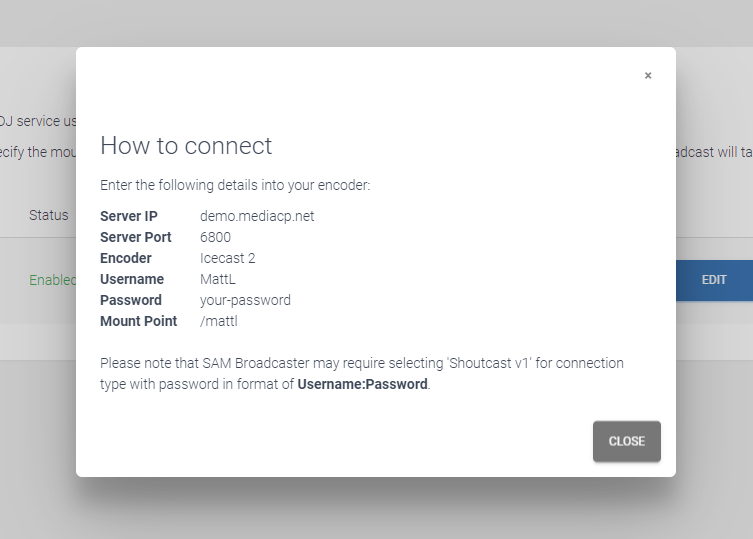
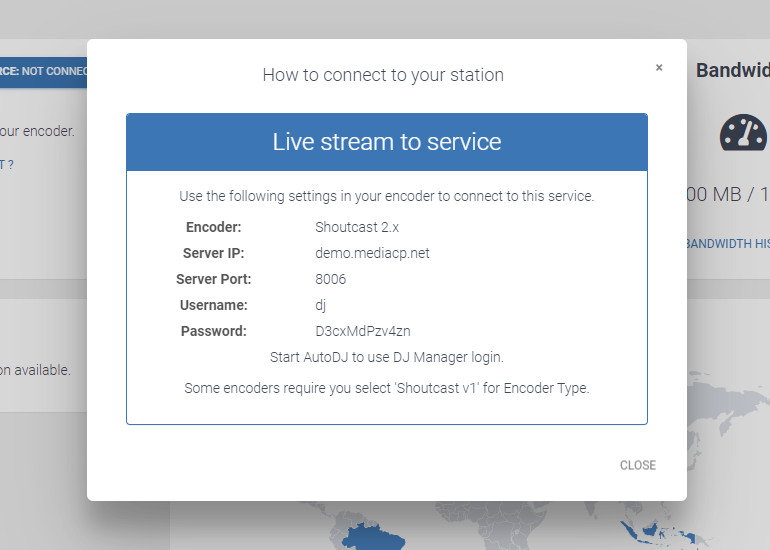
An Audio Station includes a generic login by default. The connection details are outlined in the “How to connect to your station” on the Service Overview page.
The How to Connect dialog will display connection details to the direct Icecast Service if AutoDJ is offline. Once AutoDJ is started, these details will change over with instructions on connecting to the AutoDJ service instead.
It is possible to create separate logins for each DJ that connects to your audio streaming station. Learn about creating and managing DJs in our knowledgeable.
Note: