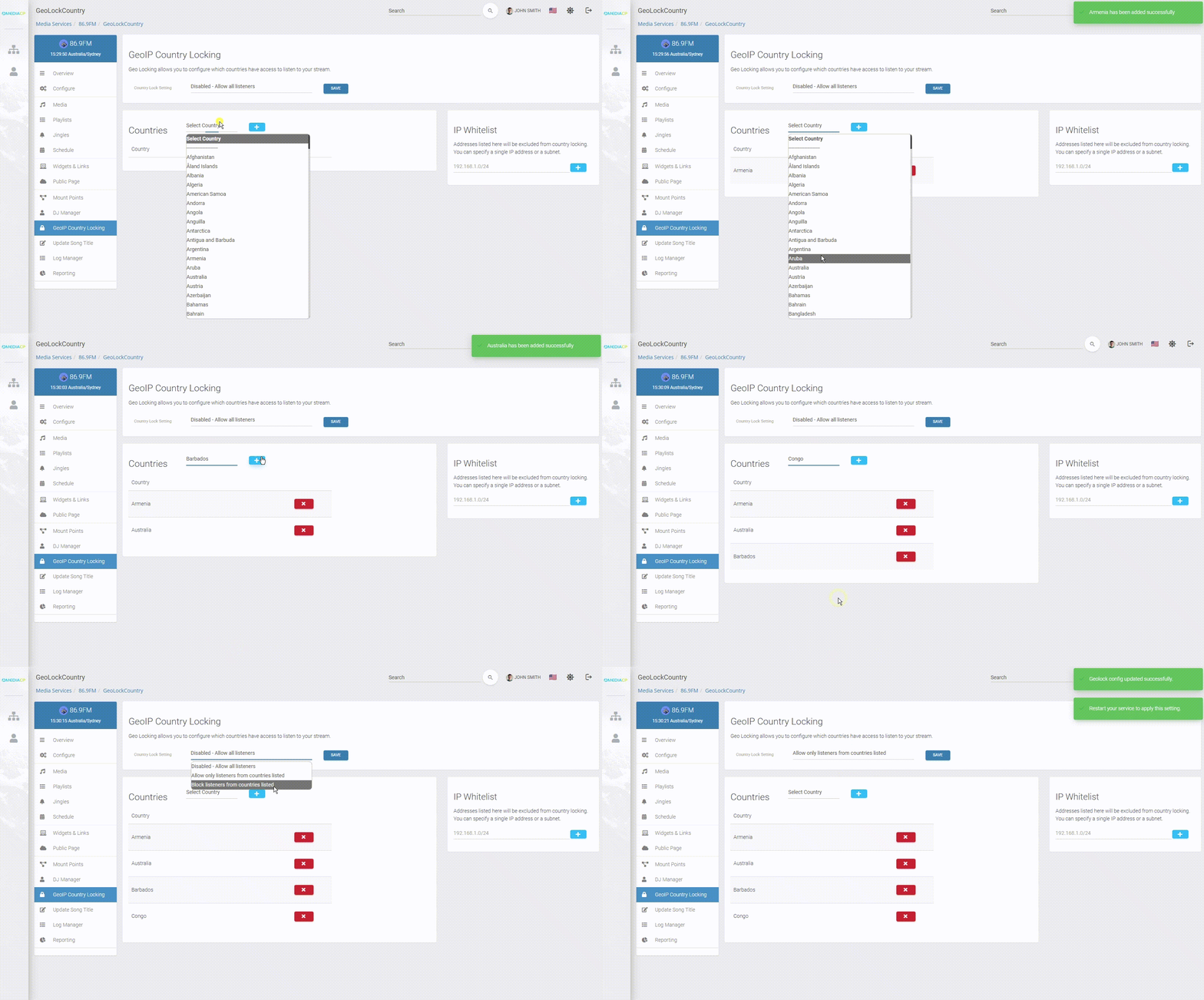
MediaCP offers a robust GeoIP locking feature that allows the broadcaster to restrict streaming based on listener location.
GeoIP Country Locking must be first enabled as a Service Feature
If you do not see this option available to you, please reach out to support.
Getting started with GeoIP Country Locking
From the GeoIP Country Locking page you can configure countries with three options.
Disabled – Allow all listeners
Allow– Allow listeners ONLY from only selected countries
Block – Allow all connections except from the selected countries
You can then select the various countries that should be allowed or denied.
You can also use the IP Whitelist feature to set IP address to be excluded from country locking. You can specify a single IP address or a subnet.
You will need to restart the service in order for these settings to be applied.