To perform a live broadcast, you will require software that is capable of connecting and streaming to your Shoutcast 2 server.
For beginners we recommend starting with BUTT - see Recommended Audio Encoders for Live Broadcast.
Connect your live broadcast software
- Download and install software from https://sourceforge.net/projects/butt/
- Select “Settings” button
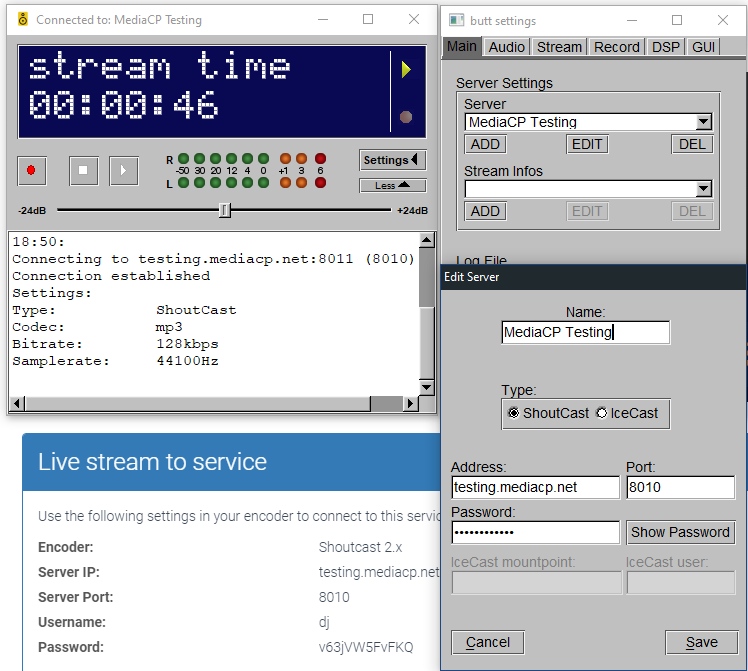
- Within “Server Settings” press “Add” to add your Shoutcast 2 server.
- Configure Server details as below image (click on image to enlarge)